Tuesday, 13 November 2012

NBS Create - Finding the correct content

We have recently been releasing more enhancements to NBS Create. It’s been a pretty busy year at NBS and as an R+D Team we have been splitting our time looking at fixes, performance enhancements and also new functionality. I've got a series of five blog posts that look at some of these enhancements. This is the second of the five posts.

One consistent bit of feedback we have received from customers throughout this year is that working with systems is fantastic. It allows specifications to be started earlier in the project timeline and the choice of performance and full specification is of great help with different procurement routes. However, sometimes a designer thinks of a product first and not necessarily its parent system. Prior to the version 1.3 software it was sometimes hard to find the parent system for a particular product in order to add it to a job.

In Figure 1 below it can seen that the user has used the “quick search” feature in the Resources window to find where to specify “floor boards” *. They have then selected the “Add to Job With” feature. Figure 2 shows that the user then is provided with a list of potential system clauses that invoke this product clause. In this example a number of options are presented such as “Battened timber board floating floor system” and “Direct-fixed wood floor system”.
Figure 1 - Find a product within the NBS Resources window
Figure 2 - Quickly add the product to the job as part of its parent system
This same process is shown below by searching the technical guidance to the right of the screen. The search engine within the guidance is more advanced than the “quick search” in the Resources window. Figure 3 shows that the user has searched for “solar collectors” and the results include both “Evacuated tube collectors” and “Flat plate collectors”. Figure 4 shows that once the guidance page has loaded there is now an option to add the clause to the job through the “Add to job” hyper-link  Figure 5 shows the reuse of the window from the previous example that lists the potential parent systems “Indirect hot water storage supply system” and “Solar heating system”.
Figure 3 - Search for the product to specify in the guidance window
Figure 4 - Select the "Add to job" option
Figure 5 - Select which parent system the product is part of
In both of these examples it can be seen that the child product is now within the specification and is referenced correctly by their respective parent system. This is demonstrated in Figure 6. Within the context of the parent system, potential sibling products are offered to the user. In the example of the timber boards the user may now specify insulation, underlay, fasteners and seals. In the example of the solar collectores the user may now specify pumps, water treatment, pipelines and valves.
Figure 6 - Both products are in the job as part of the correct systems
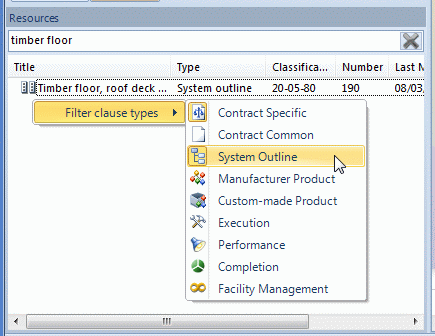
* One bit of functionality that may be missed is the ability to filter what sort of clauses you are searching for. Right clicking anywhere in the Resources window when looking at search results allows this as shown in Figure 7 below:
Figure 7 - Filter the content you are searching for

Monday, 12 November 2012

NBS Create – Performance enhancements

I've been blogging a lot about BIM over recent months – to add a bit of balance, this week I will be putting one post live each day about NBS Create.

We have recently been releasing more enhancements to NBS Create. It’s been a pretty busy year at NBS and as an R&D Team we have been splitting our time looking at fixes, performance enhancements and also new functionality. I've got a series of five blog posts that look at some of these enhancements. This is the first of these posts.

NBS Create is built on a complex relational database which we believe gives a level of information modelling never seen before in a specification product. In NBS Building when a user opens a work section, the code queries a single table in the underlying database “return all clauses with the id ‘F10’”. When publishing or viewing this information – the only option to the user is “show me the work section F10”.

In NBS Create this operation is far more advanced. Each system object has child performance and manufacturer product objects, these in turn have clause items with marked-up values. This allows the user to model a building in detail and link related objects to other BIM packages such as ArchiCAD and Revit. A well-structured data model allows a large amount of reporting and publishing flexibility from a single database – analogous to generating multiple drawings and schedules from a single geometric model.

Our developers and QA team have been working very hard this year to ensure that the software can offer this fantastic functionality but not at the expense of the performance/response of the product.

In our recent release, time savings of over 20% can be seen on all of the process intensive operations – opening a job, opening the system editor, publishing, creating milestones and comparing milestones. Update bars that show progress to the users have also been added, this ensures that the software not only is faster but it also gives good feedback when process intensive operations are taking place.
Figure 1 – Performance and feedback improvements throughout the software
Figure 2 – The large system is open ready in the system editor

Saturday, 10 November 2012

Construction industry content on your mobile

Looking at the web stats for this blog, this year so far 13% of visitors have been using a mobile device. This compares with 3% over the same period from 2011. This is a massive jump. In fact this is a larger percentage now accessing content using a phone than those sitting at a desk using a Mac. (The break down is roughly 8% usage on iPhone and 2% Android for the other mobile devices).

When delivering content to a mobile device, as an R+D team you have three choices:
  1. Do nothing to your website - let the user "double tap" and zoom and pan
  2. Design and develop a platform specific "App" - but then, for which platform (iPhone? iPad? Windows? Android?... the list goes on)
  3. Have a specifically designed UI that is optimised for use on a small screen through the web browser
At NBS we have decided to follow the third option when it comes to our most used website RIBAProductSelector.com.

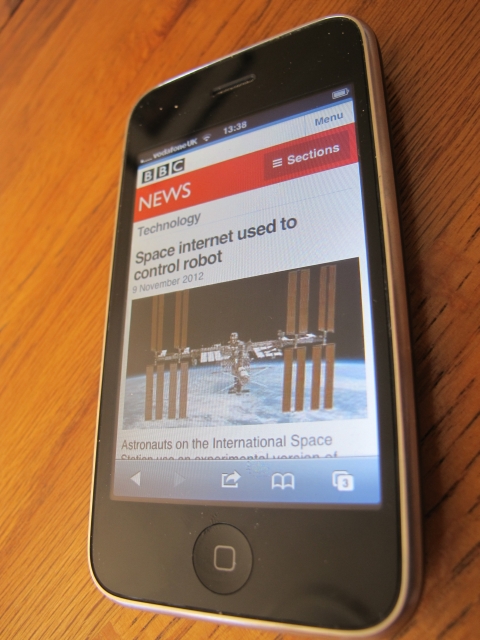
One thing that you'll notice when visiting RIBAProductSelector.com on a mobile is that it now automatically redirects to the website m.RIBAProductSelector.com. This is a different user interface - but the same fantastic technical content. This approach is a principle that has also been recently adopted by bbc.co.uk/news as shown in the screenshot below:
BBC News - now redirecting to mobile friendly version
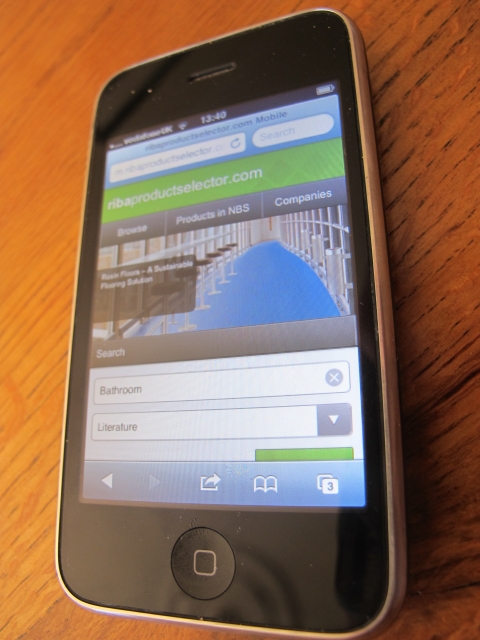
The screenshot below shows this experience with RIBAProductSelector.com:
Home page
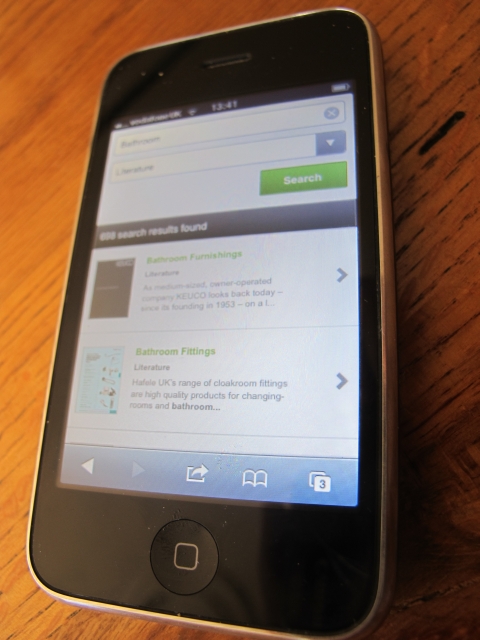
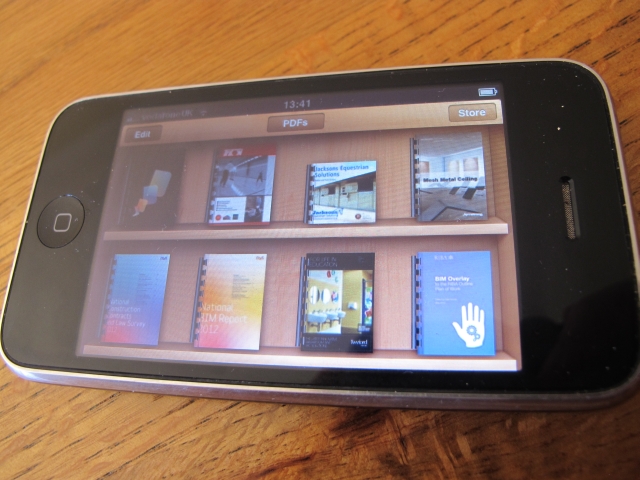
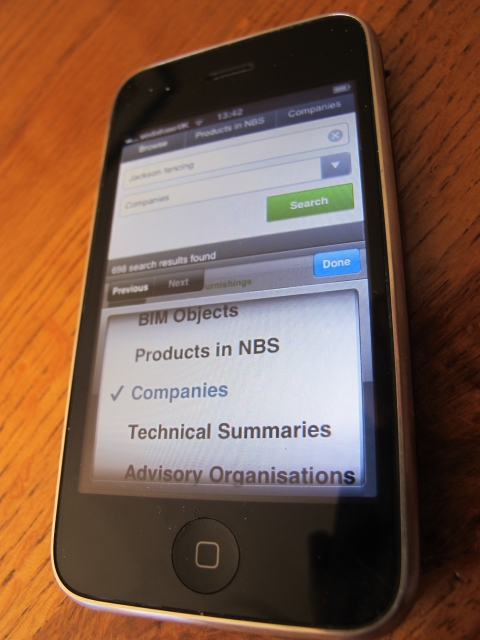
When searching for product literature this works really nicely in terms of finding items and then storing them in your iBooks area of your device (or equivalent):
Quickly find product literature
Save product literature to your mobile device
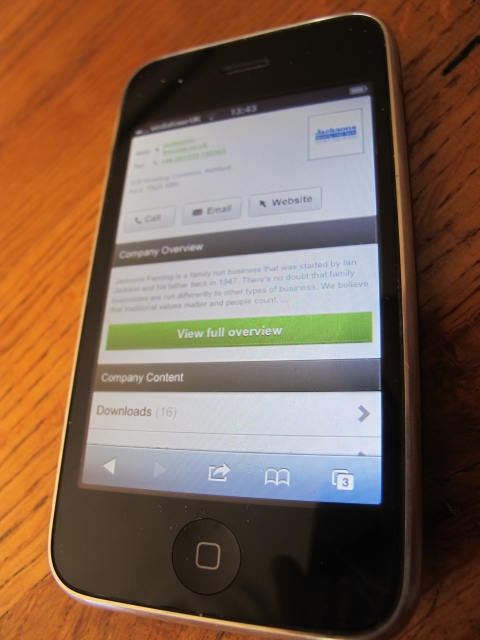
Also, if you quickly want to give a manufacturer a phone call or drop them an email - this is possible as the contact details link into the respective features on your device:
Search for a company...
...and here's my number, call me maybe? 
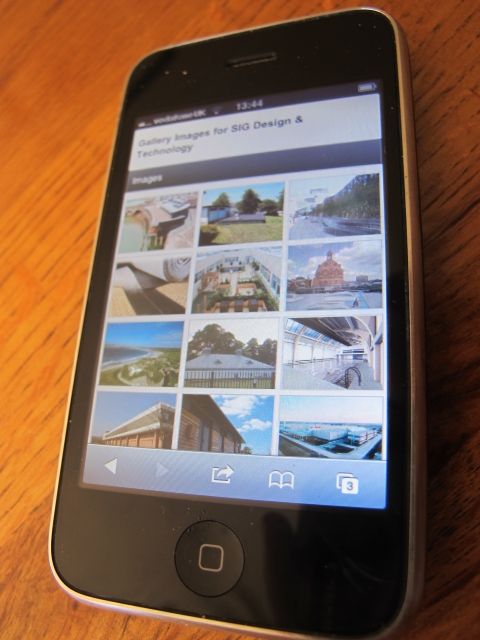
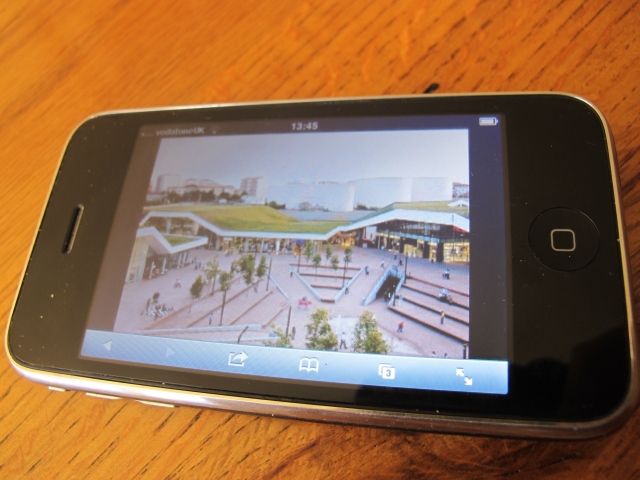
And of course RIBAProductSelector.com is not just about literature, product specifications and contact details - there are also thousands of inspirational photographs and case studies. These can all be browsed really nicely on a mobile device.
Browse inspirational architectural images
Zoom in on images that are of interest
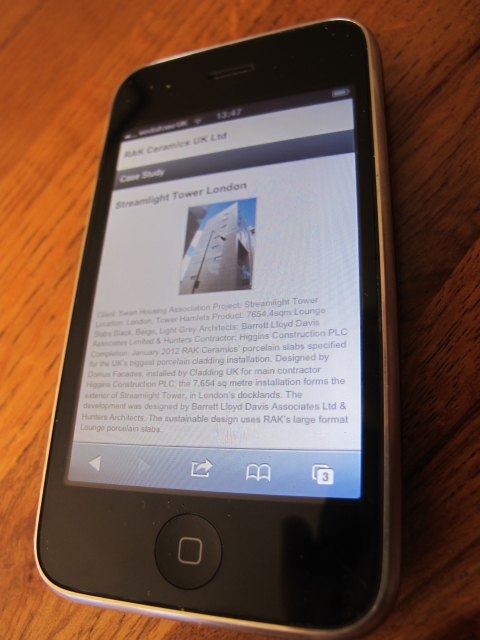
Browse case studies and learn how products have been successfully used
Members of our R&D team have been working on this for a few months, but it wasn't until I had a good play around with it on my iPhone that I realised how nice the user experience this is on a hand held device.

Finally, finishing on software technology for those interested, there is a new hot topic that is worth looking into and that is "Responsive web design". A single style-sheet that responds to the screen width. Maybe that's a topic for another blog post. A 4th option for future developments?

Thursday, 8 November 2012

RIBA Guerrilla Tactics – BIM CPD

Today I was at the RIBA for the Guerrilla Tactics BIM CPD sessions. Notes below...

BIM and the RIBA Plan of Work
Richard Fairhead – bblur architecture
The 2012 BIM overlay is just a start
Richard Fairhead started the BIM day off, Richard has past experience from 3DReid and is now with bblur architecture.
A new plan of work coming. But how will BIM integrate into this? It will be released in April next year after a successful consultation period earlier this year. As part of the consultation with RIBA members, 75% are either looking to use BIM or using it already.
The Plan of Work was first published in 1963. It will be 50 years old next year. The current plan of work isn’t just a simple sheet – but has variations for procurement and links with the soft landing framework and also has a green and a BIM overlay. It also links to the RIBA client advisory service. However, this has all fragmented things a little. The new plan of work will bring it all together. The “letters” “Stage A”, “Stage L” will go – a clear separation between old and new will have “numbers” – Stage 0 to Stage 7. This will also align with work being down by the CIC and other professions.
There will be variable task bars within the Plan of Work “Procurement, Programme and Planning” – these will be configurable in an online tool (SJH note – the team at NBS will be developing this). Online will be functionality to tailor the template to a particular practice or project to give the version of the Plan of Work that is correct for you.
As a summary Richard explained “better briefing, a more defined design process - this will produce better outcomes. Then the lessons learned can loop back into the briefing process for the next project.”
Richard then took the delegates through the different work stages with examples of a recent project that he had worked on. For each stage examples were given of the BIM process from this project.
“Fatten the design time” and get it “right first time”. “It’s all about design - and building better buildings.”

BIM Demystified
Steve Race
Steve has been running the CPD sessions on the road for the RIBA all year. We also have a bit of content from him on the BIM area of our theNBS.com website:
Steve’s session started with a fantastic look back at the past, the Prime 750 computer 250KB memory – £90,000 in 1979.
http://en.wikipedia.org/wiki/Prime_Computer
Check out the picture below – which one is Steve?
Spot Steve
The BIM Overlay to RIBA Plan of Work  defines BIM as:
“…digital representation of physical and functional characteristics of a facility creating a shared knowledge resource for information about it forming a reliable basis for decisions during its life cycle, from earliest conception to demolition”.
Steve has been launching the BIM Hubs around the country to work as an interface between those working in the construction industry and Government.
The 4 most important words in BIM – open, shareable, asset, information.
Steve’s interpretation of BIM is “Better Information Management” – find slightly better ways to manage your information every day.
The move from BS 1192 to PAS 1192 was then presented. Methods of naming files and objects on a project to allow for better collaboration.
BIM is about objects. Modelling real world information. Watching this particular slide, this reminds me of learning to program using C at university in the early 1990s. Object-Orientated-Programming. I think this is why I probably am such a BIM-fan. The mix of construction and digital technology – the two things that interested me most when I left school.
Work together for better results
Steve then moved onto interoperability and demonstrated copying and pasting an image from Powerpoint to Word, to Excel to Access. This makes the point pretty clearly. Of course it is possible to take this analogy further with structured data such as an email where you go from one software vendor on one platform to another software vendor on a different platform.
A three year BIM plan diagram was shown – prepare to invest in year one, break-even year two and then see increased profit in year three.
A nice example on collaboration – “the two mules” illustration – pulling in different directions doesn’t work. The overriding principles for the JCT Construction Excellence were presented – work together, better for all.

Steve finished on some thought provoking slides on technology advances into such things like the semantic web.
http://en.wikipedia.org/wiki/Semantic_Web
And a tiny tiny book push at the end too… buy Steve Race’s book BIM Demystified from RIBA Bookshops:
http://www.ribabookshops.com/item/bim-demystified/74337/
Buy Steve's book
Managing BIM implementation
James Austin, Autodesk
James is now working at Autodesk but previously BIM Implementation Leader at _Space. James kept the Autodesk corporate stuff to an absolute minimum and even joked about it with a Darth Vader slide (the “dark side”).
The start of the presentation looked back at his time at _Space Group. How they went from 2D to 3D and then BIM – then diversify through offering wider consultancy services such as BIM object authoring and BIM consultancy.
Looking sideways - over last 40 years productivity as reduced in construction industry whilst costs have grown. This is the opposite of certain other industries.
And it is not just costs in terms of finance - 2.4 deaths in construction per 100,000 workers - whereas 1.1 per 100,000 in manufacturing.
Apple invest 30% of profit into R&D. What percentage of profit do construction industry companies invest in R&D?
[Edit – this figure was queried in a mini-Twitter-argument – but nevertheless the principle remains – whether this is 3, 8 or 30% doesn't matter – to have success as a company you must invest in the future]
http://technorati.com/business/article/apple-ups-rd-spending-by-1bn/

A Building Information Model should be stuffed full of information that is accessible to everyone. BIM is about challenging your business processes to change to do things better.
When looking at small versus large practices James had some interesting thoughts. Small practices have a nimbleness to change their business processes rapidly (picture of humming bird) – within six months – a large practice (picture of ferry) could take much, much longer.

Better collaboration and Integration is the dream for any practice – but there are still big benefits of what you can achieve by yourself as the first steps. Become more efficient to produce more for the client for the same fees. Three steps 1. CAD to BIM, 2. Collaboration and then 3. Full integration. As a practice you need to plan out your journey and take your time.
A similar message to Steve Race was shown in terms of adopting BIM and seeing benefits. For cycles – taking a hit, improving, profitable, really efficient. James then talked through the lessons learned from his time going through this at _Space Group.
Top down support and managing change is a real challenge – it needs leadership – trying to push up is extremely hard. Top down support is extremely important.
Where do you start for the best support on BIM? – Twitter is great (UK BIM Crew slide below – is your twit-pic on display?) – www.BIMTaskGroup.org the best – so many free resources… National BIM Library, AEC Standards, bimstore…
Who's face is that top left?
Turnover per head slide and investment against turnover analysis was shown. A blurry image of this is below (as shown first at AU last year) – James if you are happy to send me the actual charts for this I’d love to add them to this article???
Fee income per head since BIM adoption
One thing that will change over the next few years is that manufacturers will provide their information digitally – accurate property sets and parametric objects that represent their products.

Practice Story: adopting BIM
Fiona Clark and Anna Davies – David Miller Architects
David Miller Architects kindly presented at one of our NBS events two weeks ago. This time it was Fiona and Anna using Prezi to tell their BIM story. A written version of this presentation is at:
http://www.thenbs.com/topics/bim/articles/bimsmallpractice.asp
Of all of the presentations today, interestingly Anna had by far the largest number of questions at the end of her session. “How do you do this?”, “How did you find that?” etc… etc… - I think this is a sign that a presentation has really hit the mark with the delegates.
Anna giving a Prezi master class
Fiona then took over and looked into the business side of BIM from a small practice background.
The big question on cost is that DMA spend around £30,000 per year on software, training and hardware. Comparing this to the staff cost and fee income though, this has allowed DMA to flourish in tough times. Looking back at the example from James – invest a percentage of your profits in R&D to succeed.
The story of how a practice grows from doing high-end kitchen extensions to £35million schools in three years is a great story.

Live BIM demonstration
The final session was a one I chaired was the live software demonstration. The presenters were given twenty minutes to show off some technology. Before the session I asked whether the delegates thought that BIM was the best thing since sliced bread, or, the Emperor’s New Clothes. The show of hands indicated that half thought “sliced bread” and half were undecided.
Which is it? tweet your answers to @StephenHamilNBS
After my short introduction, first up was Anna Davies from DMA. Starting with an empty Revit model she added objects to create a simple building. Drawings and schedules were then generated from the 3D model. In true Blue Peter style, a design that had been created earlier, was then shown for a housing scheme. More detailed scheduling, visualisations and drawing sheet creation was then demonstrated.
Putting the session together I was keen to ensure that more than one software platform was demonstrated and also that the demonstrations were relevant to the sort of work that small practices undertake. So it was fantastic to introduce Tom Jacques who showed similar functionality to Anna but using ArchiCAD. The demonstration from Tom was around a house extension. A reasonably small value project, but still using BIM to demonstrate construction sequencing (before demolition, after demolition, extension complete), drawings, schedules and visualisations from the model. Tom was also brave enough to hook is iPad up to the projector and navigate the model as he would do with a client.
BIM can be used for small projects too
The final presentation of the day was from George Mokhtar. George has been one of the BIM experts working on the National BIM Library project. www.nationalBIMlibrary.com – One of the real expenses behind BIM is for a practice to have to generate their own UK specific content. Some of the largest practices can afford this, but many cannot and it is a real barrier to BIM adoption with SMEs.
George discussed how the National BIM Library had looked at all of the standards and guides that were being used in the market and set out to generate UK specific content for the industry. One of the most fascinating parts was looking at the creation of parametric objects in different software platforms. The challenges of creating identical geometry and property sets that worked well when exported to IFC in tools such as Revit and ArchiCAD.
The National BIM Library is of course a free resource for the industry providing both generic and manufacturer BIM objects.
Multi-platform object creation from George
And then it was back up North again. Good bye to London for another week.
View from the Wren Room - 6th floor of the RIBA - tops of Shard and Gherkin definitely visible
Guerrilla Tactics over for another year

Tuesday, 6 November 2012

Automated code checking using BIM

Interesting project in the field of automatic routines for BIM checking in the USA. A project that involves the US International Code Council...


- http://www.fiatech.org/project-management/projects/593-automated-code-plan-checking-tool-proof-of-concept

BIM - RIBA CPD

RIBA CPD
Tomorrow I am at the RIBA Guerrilla Tactics CPD Day. There are sessions around "BIM and the RIBA Plan of Work", "BIM demystified", "Managing BIM Implementation", "Practice Stories" and the live BIM demonstration session that I am chairing.

All chartered members of the RIBA must take part in 35 hours of CPD, of which 20 hours is around the core curriculum topics.

What is interesting looking at the RIBACPD.com website is the number of BIM consultancies and software vendors that are now getting their material RIBA CPD certified. A quick glance shows@

If you are in the construction industry and want to learn more about  BIM then the material above has been RIBA assessed and is worth double points. It is also aligned to the RIBA core curriculm topics.

If you are a BIM consultant, software vendor or manufacturer with BIM content - more information on getting your training material RIBA CPD stamped can be found at the page below:

Over the next few years it is pretty certain that the "BIM explosion" will show little sign of slowing down. There is a fantastic opportunity here through the professional CPD network for those who want to learn and those who have the expertise to come together.

Wednesday, 31 October 2012

Structured data and sustainability

I hate it when you get a question on Twitter that is impossible to answer in 140 characters...

Excellent question....

...but no chance of answering in 140 characters. So here we go - quick blog response and some screenshots...

The 37% waste figure came from a slide at our RIBA Insight Manufacturer Consultancy Day.
Can BIM/well-structured digital data reduce this figure?
Three examples below where at NBS we try and put the right data in front of the right person at the right time.

1. Recycled content
For a full article on this please see - http://www.thenbs.com/topics/Environment/articles/nbsWRAP.asp
The screenshot below shows how the user is prompted to specify what minimum recycled content is required for individual products. The values suggested are taken from the WRAP website and this initiative is promoted throughout NBS in Create, Building and Scheduler.
Recycled content and NBS

2. Manufacturer content
The NBS Plus specification information is so much more than just the clause required to specify the product. The key performance data is also delivered to users and we work with the manufacturers to display this in a structured way. Examples include third party accreditations, BRE Green Guide ratings, recycled content and this will continue to develop where available for carbon and water data.
Manufacturer's environmental credentials
3. Refurbishment/Alteration work
The third screenshot below shows that in the suggested values for stripping-out in NBS - reuse and recycling again is an option that is there for the user to consider.
Reuse and recycling
  • Is the figure of 37% far too high? Yes.
  • Is BIM the silver bullet to solve the world's problems? No. But well-structured digital data at the decision makers fingers will improve things. Manufacturers with more sustainable products will be specified more. At NBS we will continue to promote this information clearly and concisely to users in a digital form that they can really make use of.
Also, check out NBS Head of Sustainability John Gelder's thoughts:

BIM on an iPad

At the recent NBS-NLA BIM conference Tuomas from CADFaster introduced himself. CADFaster have a neat application that takes a BIM from Bentley, Revit or Vectorworks and allows users to navigate this and comment on the model on an iPad.

The uses of this would include receiving feedback from a client or inspecting a building during construction for snagging.

Tuomas took the NBS Lakeside Restaurant model and filmed a little video showing off the capabilities...


Anyone who wants to get in contact with Tuomas - see http://www.cadfaster.com/ or on twitter - @CADFaster.

If anyone in the construction industry wants to show what they can do using National BIM Library objects then please send me a drop box link to some screenshots and videos and I'll pop them up here.